For every action that is performed by a mart user, an action log is saved to the mart database. As a mart administrator, use logs to view records of user actions. Note that these actions are not saved in a log file.
To view logs, follow these steps:
- Go to Application Menu > Settings > View Logs.
Depending on your Mart account rights, logs are available.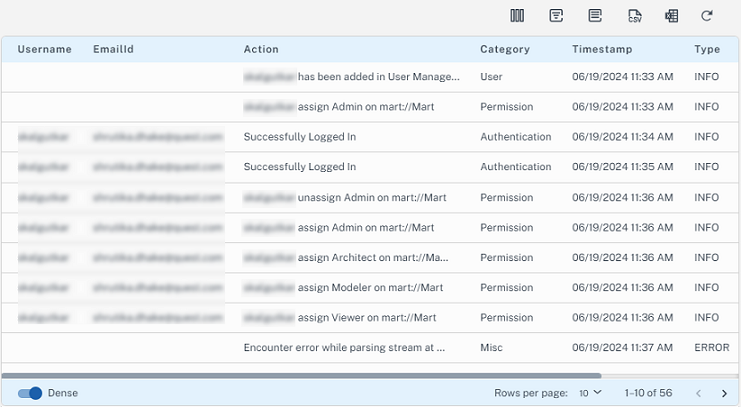
Use the following options to work on logs:
 )
)Use this option to export all logs to CSV file.
 )
)Use this option view the selected columns in the log report.
 )
)Use this option to filter logs based on username, log category, time stamp, log type, and session.
 )
)This option is to generate a log report based on specific parameters.
 )
)Use this option to export all logs to an MS Excel file.
|
Copyright © 2025 Quest Software, Inc. |